> ## Documentation Index
> Fetch the complete documentation index at: https://test-8862363a-feat-vpn-integration-docs.mintlify.site/llms.txt
> Use this file to discover all available pages before exploring further.
# Tembo Documentation
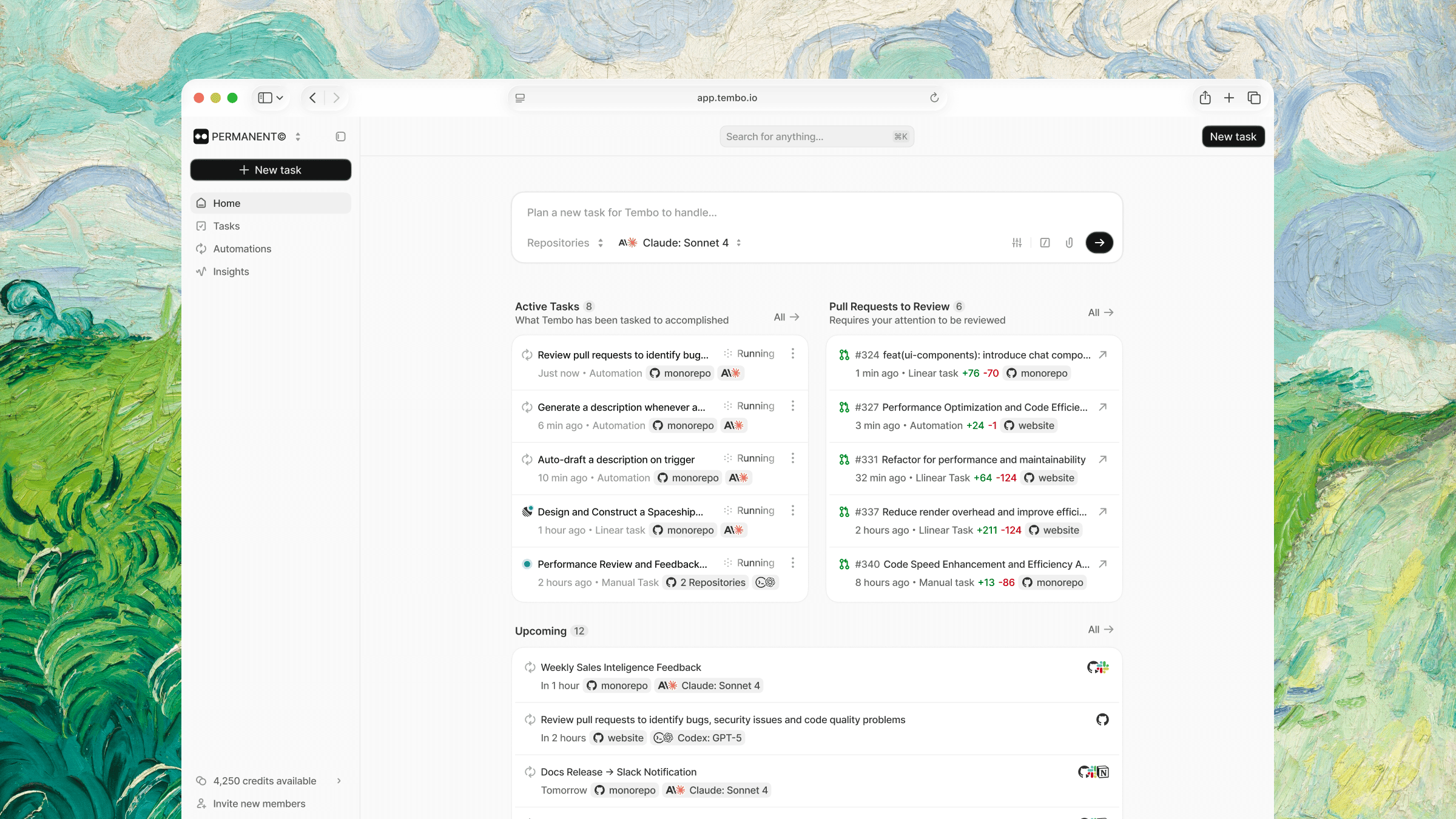
> Run any coding agent across your repos, tickets, and tools, with full visibility.
 ## What you can do with Tembo
Set up recurring workflows triggered by events or schedules.
Detect errors from Sentry, analyze the root cause, and open fix PRs automatically.
Assign issues from Linear, Jira, or GitHub and get code written for you.
Get automated code reviews on every PR with inline comments.
Scan for vulnerabilities, stale TODOs, and refactoring opportunities on a schedule.
Keep documentation in sync with your codebase as code changes.
## Agents & integrations
Tembo is harness and model agnostic. Pick the right tool for each session. Tag `@tembo` from wherever you already work.
| Harness | Providers | Default Model |
| --------------- | ------------------------------ | ------------------- |
| **Claude Code** | Anthropic | `claude-opus-4-6` |
| **Codex** | OpenAI | `gpt-5.2` |
| **Cursor** | Anthropic, OpenAI, Google, xAI | `claude-4-5-sonnet` |
| **Opencode** | Anthropic, OpenAI, OSS | `claude-4-5-sonnet` |
| **Amp** | Anthropic (auto-selected) | `auto` |
Codex and OpenCode also support `gpt-5.4`, `gpt-5.4-mini`, and `gpt-5.4-nano`.
See [all harnesses and models →](/features/agents#agent-harness)
| Type | Integrations |
| ---------------------- | ----------------------------- |
| **Source Control** | GitHub, GitLab, Bitbucket |
| **Project Management** | Linear, Jira, Notion |
| **Monitoring** | Sentry |
| **Databases** | PostgreSQL, Supabase, AWS RDS |
| **Communication** | Slack, Discord, Raycast |
See [all integrations →](/integrations/github)
## Get started
Get up and running with Tembo in minutes.
Set up event-driven workflows that run automatically.
## What you can do with Tembo
Set up recurring workflows triggered by events or schedules.
Detect errors from Sentry, analyze the root cause, and open fix PRs automatically.
Assign issues from Linear, Jira, or GitHub and get code written for you.
Get automated code reviews on every PR with inline comments.
Scan for vulnerabilities, stale TODOs, and refactoring opportunities on a schedule.
Keep documentation in sync with your codebase as code changes.
## Agents & integrations
Tembo is harness and model agnostic. Pick the right tool for each session. Tag `@tembo` from wherever you already work.
| Harness | Providers | Default Model |
| --------------- | ------------------------------ | ------------------- |
| **Claude Code** | Anthropic | `claude-opus-4-6` |
| **Codex** | OpenAI | `gpt-5.2` |
| **Cursor** | Anthropic, OpenAI, Google, xAI | `claude-4-5-sonnet` |
| **Opencode** | Anthropic, OpenAI, OSS | `claude-4-5-sonnet` |
| **Amp** | Anthropic (auto-selected) | `auto` |
Codex and OpenCode also support `gpt-5.4`, `gpt-5.4-mini`, and `gpt-5.4-nano`.
See [all harnesses and models →](/features/agents#agent-harness)
| Type | Integrations |
| ---------------------- | ----------------------------- |
| **Source Control** | GitHub, GitLab, Bitbucket |
| **Project Management** | Linear, Jira, Notion |
| **Monitoring** | Sentry |
| **Databases** | PostgreSQL, Supabase, AWS RDS |
| **Communication** | Slack, Discord, Raycast |
See [all integrations →](/integrations/github)
## Get started
Get up and running with Tembo in minutes.
Set up event-driven workflows that run automatically.